Best viewed on desktop

📖 MarketWizard Pro — How it works?

How to use MarketWizard Pro

MarketWizard Pro is an AI-powered trading signal platform that generates smart trading signals from chart screenshots, Excel data, and structured market inputs. It processes your data through multiple technical indicators, detects market regime (trending, ranging, or volatile), and produces a directional signal with a confidence score and trade recommendation.

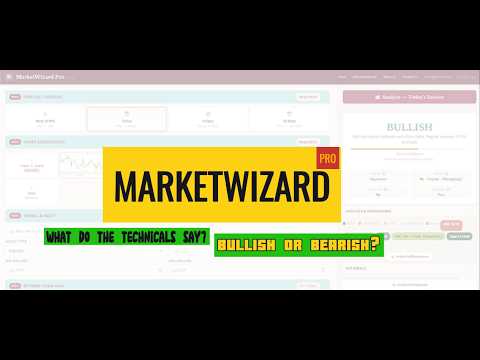
Watch this short 3–4 minute video for a quick overview of how to use MarketWizard Pro:

Loading video...
MarketWizard Pro

Step-by-Step Workflow

Step 1 — Select Forecast Horizon (To Predict): Select what you want to predict. "Today" uses hourly + daily data. "5 Days" uses daily + weekly data. "30 Days" uses weekly + monthly.

Step 2 — Chart Screenshots: Upload chart screenshots for each timeframe. Required charts are marked in maroon, recommended in amber, optional in grey. More charts = higher confidence.

Step 3 — Symbol & Asset: Optional. Enter the ticker symbol and asset type for context.

Step 4 — Options Data: Optional but high-value for index trading. Paste options chain (PCR, Max Pain), FII/DII participant data, and OI Change support/resistance levels.

Step 5 — OHLC Data: Optional but recommended. Paste CSV/Excel or upload a file for the charts mentioned as required in Step 2. CSV data, if provided, improves accuracy significantly over chart screenshots.

Step 6 — Futures Data: Optional. Indexes don't have volume — providing futures data enables the engine's full volume analysis (VWAP, OBV, Volume Delta).

Once you've provided your inputs, click the "Analyze" button to generate your trading signal and view results.

Understanding Results

Direction: BULLISH / BEARISH / NEUTRAL — the engine's predicted direction.

Confidence: 0–100%. The engine only recommends trades above 30% confidence (backtested for optimal profit factor across NASDAQ and Indian equities).

Regime: Trending, Range, Volatile, or Squeeze. The engine adapts indicator weights based on regime — trend indicators dominate in trends, mean-reversion indicators dominate in ranges.

Trade Action: BUY / SELL / NO TRADE. Includes ATR-based stop-loss and take-profit levels with 1:1.5 risk-reward ratio.

Why might the engine show a BULLISH or BEARISH signal but recommend NO TRADE?

The engine may identify a directional signal with moderate-to-high confidence, yet still recommend NO TRADE in the Trade Recommendation section at the bottom of the results panel (available below the "Analyze" button). This means the engine sees a potential move in the market, but doesn’t trust the conditions enough to act on it. Specifically, it checks the current market regime (e.g., trending, ranging, squeeze) and compares it against historical backtesting data. If past results show the engine performed poorly in similar conditions — for example, low win rates or weak profit factors — the regime gate blocks the trade. In simple terms: the engine is saying “I see a signal, but markets like this have burned me before, so I’d rather sit this one out.” This mechanism is designed to prioritise capital preservation over signal conviction.

Tips for Best Results

• CSV data is always better than chart screenshots (OCR has ~70% accuracy).

• More timeframes = higher confidence. Provide at least 2-3 TFs.

• For intraday trading, today's session data is critical.

• For swing trades (5-day), daily + weekly/5-day data gives best signals.

• The engine works best in trending markets (63%+ win rate). Range markets are harder for any system.

• For an additional walkthrough, check out our YouTube video guide as a supplementary reference.

Backtested Performance

NASDAQ (684 days, 2023-2025): 56% win rate, 1.41 profit factor.

TVS Motor (72 days, Nov 2025-Mar 2026): 63.6% win rate in trending markets, 1.98 profit factor.

Previous versions of MarketWizard Pro exist on TradingView — Click here to view/apply indicators.

⚠ Past performance does not guarantee future results. Always use proper position sizing and risk management.

About MarketWizard Pro

Inspired by the wizarding world of Harry Potter, where the right spell at the right moment changes everything, MarketWizard Pro was built to bring a touch of magic to trading analysis.

MarketWizard Pro is an AI-assisted trading signal platform that analyses chart screenshots, structured market data, and user inputs to identify potential trading opportunities. Traders can upload candlestick chart images, Excel or CSV files, options chain data, and institutional flow information — and the platform processes everything through 25+ technical indicators across multiple timeframes to generate smart trading signals.

What makes this platform different from a purely algorithmic trading tool is its hybrid approach: it combines AI-powered technical analysis with human research-backed trading logic. The system adapts to market regimes — applying trend-following strategies in trending markets and mean-reversion strategies in ranging conditions — to help uncover signals that may otherwise be missed. To get started, refer to the How it works? section.

Rather than replacing the trader's judgement, MarketWizard Pro is designed as a trading decision support platform — think of it as your Marauder's Map for the markets, revealing what's hidden beneath the surface of price action. Please note that this platform does not use live-feed data and relies solely on the information you provide.

About the Author

Hi there, I'm Ritu Raj Baruah.

I'm an MBA graduate from IIM Lucknow, a Computer Science & Engineering graduate, and a corporate professional with 8+ years of experience, including 5+ years in Product Management.

You can connect with me on LinkedIn here

Over the years, I've worked across consulting, technology services, startups, and large enterprises. My professional journey includes experience with:

Through my work, I've been deeply involved in building digital products, designing user experiences, and solving complex business problems through technology.

What Drives Me

Beyond my professional work, I'm passionate about:

Users are finding our site helpful! The number of times our CPU has almost been ~100% utilised is:
9
Counter increments each time CPU reaches ~100% utilisation, or the 1000+ user concurrency limit is hit

Disclaimer: Indicator shared here is only for research/educational purpose and does not constitute financial/investment/trading advice. However, you may apply it in your own research/application to see results by pairing it with other HFT indicators.

✉️

Get in Touch

Have a question, feedback, or suggestion? We'd love to hear from you.

marketwizardspro@gmail.com

We typically respond within 24–48 hours.

You can post ads here!
Contact marketwizardspro@gmail.com for more details
Advertisement
All News
Indian Market
Global / US
China / Asia
Crypto
Commodities
Forex / Macro
Central Banks
loading…
Loading feed…
Aggregated from public RSS feeds & official exchange/regulator endpoints. Impact rating is a rule-based heuristic, not investment advice.
MARKETWIZARD PRO

Get Trading Signal Recommendations & Latest News Powered by Human & AI Research

Upload chart screenshots, paste OHLC data, or structured market inputs — get technical analysis instantly.

✨ New here? Just 3 steps to your first signal! Click here to know more
Step 1 Forecast Horizon
Required
Next 15 Min
📅
Today
📈
Next 5 Days
🗓️
Next 30 Days
Step 2Chart Screenshots — TradingView
Required
📸 How to add charts?
Engine Status
Charts0 / 6
Horizon15 Min
Symbol
⚡ Intraday (Today)
⏱️ Last 5min
🕐 Last 15min
🕑 Last 1hr
🕓 Last 4hr
OHLC Yesterday
OHLC 5-Day
OHLC Monthly
📊 Futures
🏦 FII/DIINo
📊 OI S/RNo
OptionsNo

Chart

📋
Press Ctrl+V to paste chart
or drag and drop an image here
or
Analysis is ready! Click on View analysis